¶ Kompose
¶ Convert docker-compose.yaml simple way
cd <folder containing docker-compose.yaml>
kompose convert
¶ Convert docker-compose.yaml and .env file
cd <folder containing docker-compose.yaml>
docker-compose config > docker-compose-resolved.yaml && kompose convert -f docker-compose-resolved.yaml
¶ k8s
¶ Skip tls verify private registry on each node (masters included)
¶ Edit /etc/containerd/config.toml and fill config_path for registry
    [plugins."io.containerd.grpc.v1.cri".registry]
      config_path = "/etc/containerd/certs.d"
¶ Add registry config file
mkdir -p /etc/containerd/certs.d/myregistry.local

cat << EOF > /etc/containerd/certs.d/myregistry.local/hosts.toml
  server = "https://myregistry.local"

  [host."https://myregistry.local"]
    skip_verify = true
EOF
¶ Restart containerd
systemctl restart containerd
¶ k3s
¶ Prerequisites
apt install -y openssh-server git vim curl sudo
¶ Install
curl -sfL https://get.k3s.io | sh -
¶ Helm
curl https://raw.githubusercontent.com/helm/helm/main/scripts/get-helm-3 | bash
¶ Harbor
helm repo add harbor https://helm.goharbor.io
helm fetch harbor/harbor --untar

export INGRESS_HOST=<your civo dns name>
Install the helm release:

helm upgrade --install harbor harbor/harbor \
    --namespace harbor \
    --create-namespace \
    --set expose.ingress.hosts.core=harbor.$INGRESS_HOST \
    --set externalURL=http://harbor.$INGRESS_HOST \
    --wait

# If Error: INSTALLATION FAILED: Kubernetes cluster unreachable: Get "http://localhost:8080/version": dial tcp [::1]:8080: connect: connection refused
cp /etc/rancher/k3s/k3s.yaml ~/.kube/config
helm install harbor harbor/harbor --create-namespace --namespace harbor
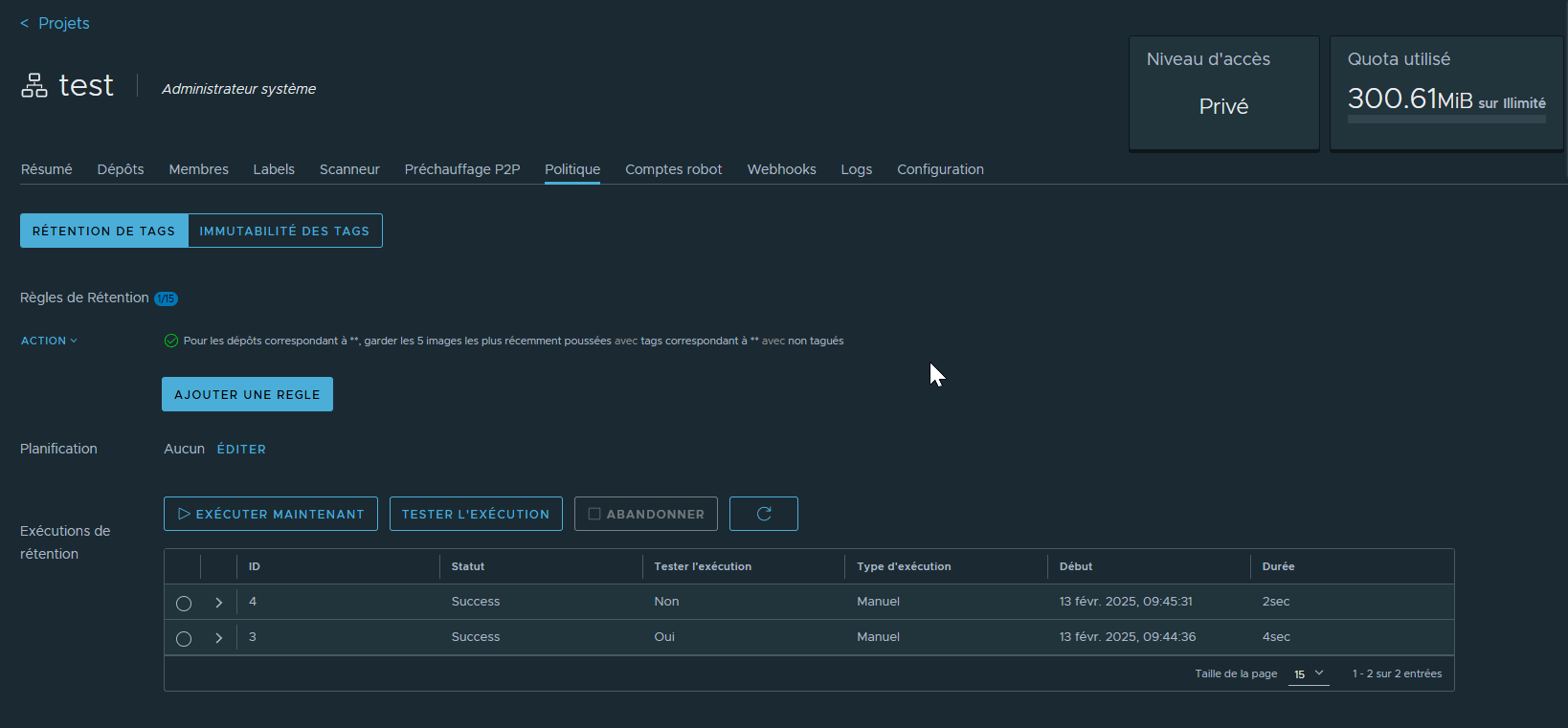
¶ Image tag retention
¶ Add harbor registry to k3s
- create a projet in harbor
- create a robot for the projet with repository push and pull permissions
cat << EOF > /etc/rancher/k3s/registries.yaml
mirrors:
  <repo fqdn>:
    endpoint:
      - http://<repo fqdn>/v2
configs:
  <repo fqdn>:
    auth:
      username: 'robot$<robot name>+<project name>'
      password: <robot token>
    tls:
      insecure_skip_verify: true
EOF
¶ Gitlab-runner kubernetes
cat << EOF > gitlab-runner-chart-values.yaml

gitlabUrl: https://gitlab.com/


# Both Token are needed (enter the same token twice)
runnerRegistrationToken: "mysupatoken"
runnerToken: "mysupatoken"

rbac:
  create: true

serviceAccount:
  create: true

metrics:
  enabled: false
  serviceMonitor:
    enabled: false

runners:
  config: |
    [[runners]]
      [runners.kubernetes]
        namespace = "{{.Release.Namespace}}"
        image = "alpine:latest"
        # if you have secrets to log on private registry (in the same namespace as the runner, declared before installing the runner)
        image_pull_secrets = ["registrycred"]
  tags: "poc"
  name: "poc"
  privileged: true
EOF

helm repo add gitlab https://charts.gitlab.io
helm update
helm upgrade --install gitlab gitlab/gitlab-runner --namespace gitlab --create-namespace --values gitlab-runner-chart-values.yaml
¶ ArgoCD
¶ Install
# Create namespace
kubectl create namespace argocd
# Deploy stack
kubectl apply -n argocd -f https://raw.githubusercontent.com/argoproj/argo-cd/stable/manifests/install.yaml

# Wait for stack initialisation ...

# Disable TLS if route to expose
kubectl patch configmap argocd-cmd-params-cm -n argocd --type merge --patch '{"data": {"server.insecure": "true"}}'
# Rollback application to use new configmap
kubectl rollout restart deployment argocd-server -n argocd
¶ Install CLI
curl -sSL -o argocd-linux-amd64 https://github.com/argoproj/argo-cd/releases/latest/download/argocd-linux-amd64
sudo install -m 555 argocd-linux-amd64 /usr/local/bin/argocd
rm argocd-linux-amd64
¶ Get default user and password
¶ Username
admin
¶ Password
kubectl -n argocd get secret argocd-initial-admin-secret -o jsonpath="{.data.password}" | base64 -d
¶ Connect to CLI
¶ User password
argocd login argocd.<kubehost>
¶ kubeconfig
argocd login --core
¶ token
argocd login argocd.<kubehost> --sso
¶ Traefik rule
cat << EOF > argocd-ingress.yaml
apiVersion: v1
items:
- apiVersion: networking.k8s.io/v1
  kind: Ingress
  metadata:
    labels:
      app: argocd
      app.kubernetes.io/instance: argocd
    name: argocd-ingress
    namespace: argocd
  spec:
    ingressClassName: traefik
    rules:
    - host: argocd.<domain name>
      http:
        paths:
        - backend:
            service:
              name: argocd-server
              port:
                number: 80
          path: /
          pathType: Prefix
    tls:
    - hosts:
      - argocd.<domain name>
      secretName: argocd-ingress
  status:
    loadBalancer:
      ingress:
      - ip: <host ip>
kind: List
metadata:
  resourceVersion: ""
EOF

kubectl apply -f argocd-ingress.yaml
¶ Create User account
¶ Get argocd configmap
kubectl get configmap argocd-cm -n argocd -o yaml > argocd-cm.yaml
¶ Add user to data section (create it if necessary)
Example for account myaccount
apiVersion: v1
data:
  accounts.myaccount: login,apiKey
kind: ConfigMap
metadata: ....
- login is the right for the account to login with credentials
- apikey is the right to generate an apikey and use it with command line
¶ Apply new configmap
kubectl apply -f argocd-cm.yaml
¶ Add User account rights
¶ Get argocd-rbac configmap
kubectl get configmap argocd-rbac-cm -n argocd -o yaml > argocd-rbac-cm.yaml
¶ Add rights to data section (create it if necessary)
Example for account myaccount with admin rights, for details refere here : https://argo-cd.readthedocs.io/en/stable/operator-manual/rbac/
apiVersion: v1
data:
  policy.csv: |
    g, myaccount, role:admin
kind: ConfigMap
metadata:
¶ Apply new configmap
kubectl apply -f argocd-rbac-cm.yaml
¶ Create helm app via command line
cat << EOF > argocd-myapp.yaml
metadata:
  name: <application field>
  finalizers:
  - resources-finalizer.argocd.argoproj.io
spec:
  destination:
    name: <cluster name>
    namespace: <namespace for stack>
  project: default
  source:
    helm:
      valueFiles:
      - <first values file>.yaml
      - <override values file>.yaml
    path: <path to charts in repo>
    repoURL: <repo url>
    targetRevision: HEAD
EOF

argocd app create <myapp> -f argocd-myapp.yaml
¶ Gitlab
To store rsa key in CICD variable in gitlab :
¶ Encode it to base 64
cat id_rsa | base64 -w0
Store the value to the variable
¶ In CICD prescript
mkdir -p ~/.ssh && echo "$SSH_PRIVATE_KEY" | base64 -d > ~/.ssh/id_rsa && chmod 0600 ~/.ssh/id_rsa
¶ Use certmanager/nginx as proxy for http external application
kind: Endpoints
apiVersion: v1
metadata:
  name: myservice
  namespace: mynamespace
subsets:
  - addresses:
      - ip: myip
    ports:
      - port: 80
        name: myportname

---

apiVersion: v1
kind: Service
metadata:
  name: myservice
  namespace: mynamespace
spec:
  ports:
    -
      name: "myportname"
      protocol: "TCP"
      port: 80
      targetPort: 80

---

apiVersion: networking.k8s.io/v1
kind: Ingress
metadata:
  name: myservice-ingress
  namespace: mynamespace
  annotations:
    cert-manager.io/cluster-issuer: letsencrypt-prod
spec:
  ingressClassName: nginx
  rules:
  - host: myhost
    http:
      paths:
      - path: /
        pathType: Prefix
        backend:
          service:
            name: myservice
            port:
              name: myportname
  tls:
  - hosts:
    - myhost
    secretName: myservice-tls
¶ NFS
You must have a working nfs serveur with the wanted share enabled and nfs client package installed on desired node
helm repo add csi-driver-nfs https://raw.githubusercontent.com/kubernetes-csi/csi-driver-nfs/master/charts
helm install csi-driver-nfs csi-driver-nfs/csi-driver-nfs --namespace kube-system --version v4.10.0
¶ Storage class
cat << EOF > storageclass-nfs.yaml
apiVersion: storage.k8s.io/v1
kind: StorageClass
metadata:
  name: nfs-csi
provisioner: nfs.csi.k8s.io
parameters:
  server: <nfs server IP>
  share: <nfs server exposed share>
reclaimPolicy: Retain
volumeBindingMode: Immediate
allowVolumeExpansion: true
mountOptions:
  - nfsvers=4.1
EOF

kubectl apply -f storageclass-nfs.yaml
¶ MariaDB
helm upgrade --install mariadb bitnami/mariadb --namespace mariadb --create-namespace --set global.defaultStorageClass=nfs-csi --set primary.service.type=NodePort --set primary.service.nodePort=<port to expose>